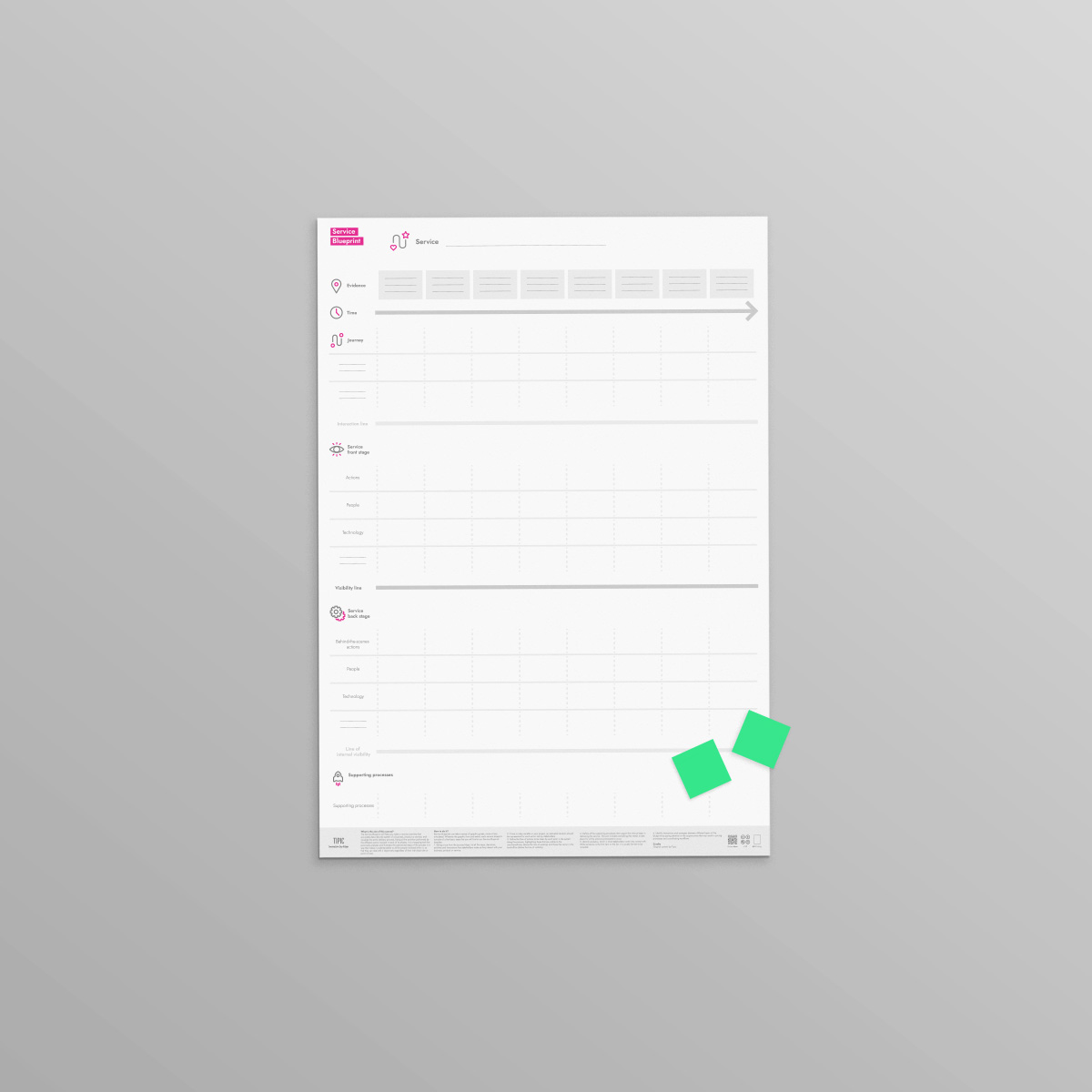
Orchestrating the experience and breaking down silos: an overview from front-stage to operational processes with Service Blueprint.
A great Customer Experience is never accidental; it is strictly designed. The Service Blueprint is the architectural map of your service: it allows you to visualize and connect what the customer sees (the stage) with everything the company must do behind the scenes to make it happen.
Beyond simple mapping, this tool allows you to create a comprehensive view of the service provided by your organization: from processes to people, including the technologies needed to deliver the services you have imagined. Use it to break down silos between departments, align design, marketing, operations, and finance, and ensure the value promise is kept at every single touchpoint. In this way, you can design the future of your organization together.
What happens behind the curtain determines the applause. Align processes, people, and technology for seamless service
How to draw a Service Blueprint
You can customize service blueprints to suit your organization's needs. Here we offer a version that contains the most common core elements.
Step 1: Map Customer Actions
It all starts with the user. Using the Journey Map, plot the chronological sequence of actions the user takes to reach their goal horizontally. This is the "script" we must support.
Step 2: Define the Time Factor
If speed or duration are critical to the service value, indicate a time estimate for each phase. Time is often the variable that distinguishes an excellent service from a mediocre one.
Step 3: Draw the Line of Visibility (Frontstage & Backstage)
This is the key distinction.
- Frontstage (Above the line): What does the staff in direct contact with the customer do? (e.g., Waiter taking the order).
- Backstage (Below the line): What must the internal team, invisible to the customer, do to prepare the service? (e.g., Chef cooking). Clearly separate these two worlds to understand where perceived value and operational value are generated.
Step 4: Map Support Processes
Go even deeper. What software, external suppliers, or internal processes (e.g., Logistics, HR, IT) must activate for the Backstage to work? This is the hidden infrastructure holding up the system.
Step 5: Insert Physical and Digital Evidence
What does the user come into contact with? For each phase, list the tangible proofs of the service: an app, a receipt, a confirmation email, the store decor. These are the "anchors" that make your service real in the customer's mind.
Step 6: Analysis and Optimization (Synergies)
Now look at the map as a whole (holistic view). Where does the flow get stuck? Are there duplications between departments? Are there opportunities to automate support processes or improve frontstage interaction? Use the Blueprint to redesign operational efficiency.
Frequently asked questions about the Service Blueprint
What is a Service Blueprint?
The Service Blueprint is the architectural map of a service: it visualizes and connects what the customer sees (the frontstage, the "stage") with everything the company must do behind the scenes (the backstage) to make it possible — processes, people, and technologies included.
What is a Service Blueprint used for?
It breaks the silos between departments: it aligns design, marketing, operations, and finance around a single overview of the service, ensuring the value promise is kept at every touchpoint. It is the tool to understand where perceived value and operational value are generated, and to redesign efficiency.
What is the difference between a Service Blueprint and a Journey Map?
The Journey Map tells the experience from the person's point of view: stages, emotions, expectations. The Service Blueprint looks at it from the organization's point of view: it takes the customer actions from the Journey Map and maps everything that must happen behind the scenes to support them. First map the experience, then orchestrate it.
How do you draw a Service Blueprint?
Trace the customer's actions in chronological sequence; note the time factor where critical; draw the Line of Visibility separating frontstage and backstage; map the support processes (software, suppliers, logistics); add the physical and digital evidence for each stage; finally, analyse the map to find blocks, duplications, and synergies.
Where can I download a free Service Blueprint template?
You can download TIPIC's Service Blueprint for free from this page, in English and Italian, with the layered structure (customer actions, frontstage, backstage, support processes, evidence) ready to orchestrate your service.